Nine conversations.Not one chat.
Every card is its own AI worker, with its own project, its own memory and its own thread. Several run side by side, as many at a time as your Mac can handle, and the rest start on their own as slots free up. Each one tells you when it needs you.
one time $10 · runs on Claude or ChatGPT Codex
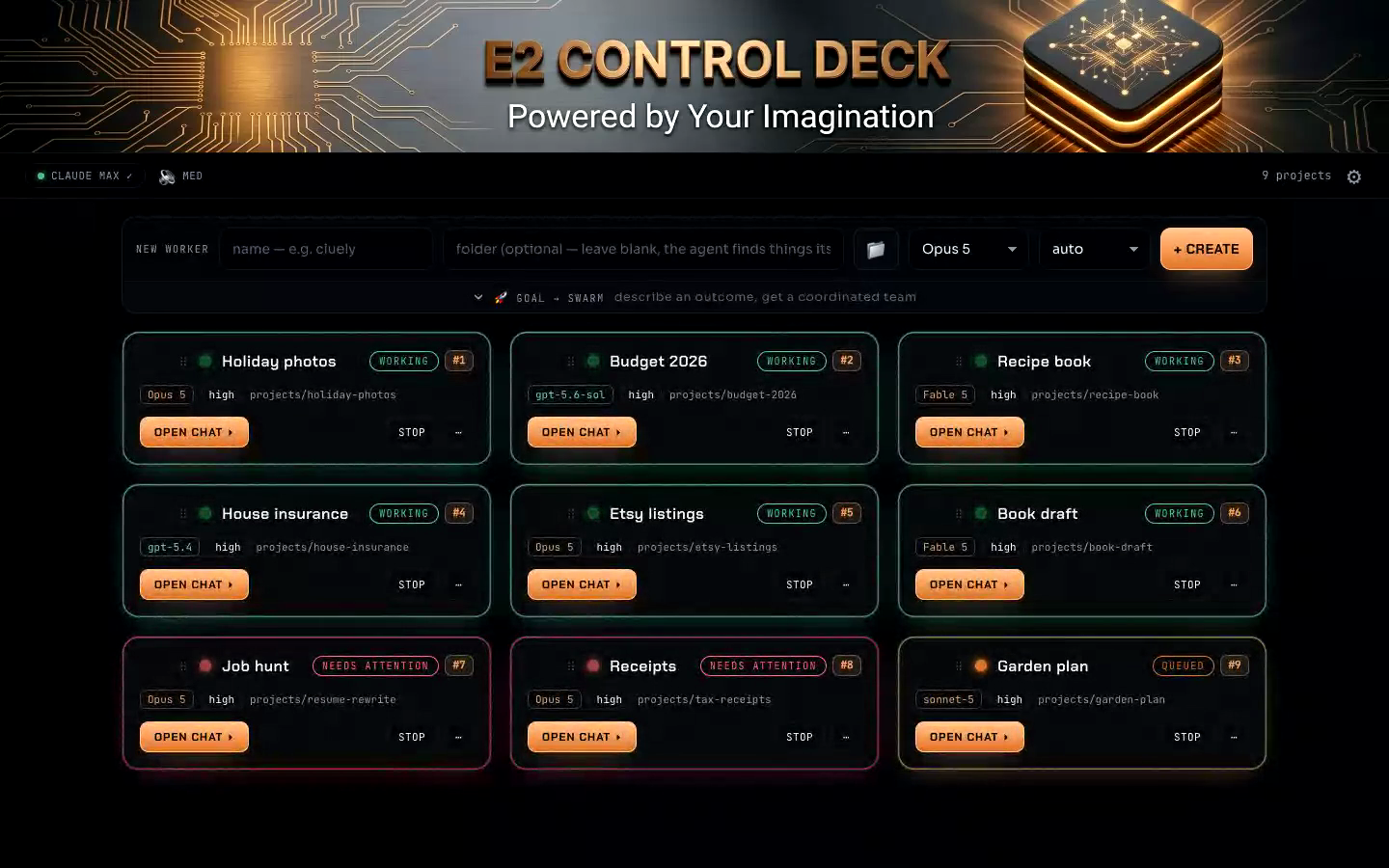
Every card is a separate conversation.
Nine cards is nine projects, nine histories and nine workers, all on the go. Several are running right now, one is waiting its turn, and two want an answer from you. They say so on the card rather than sitting there looking busy.
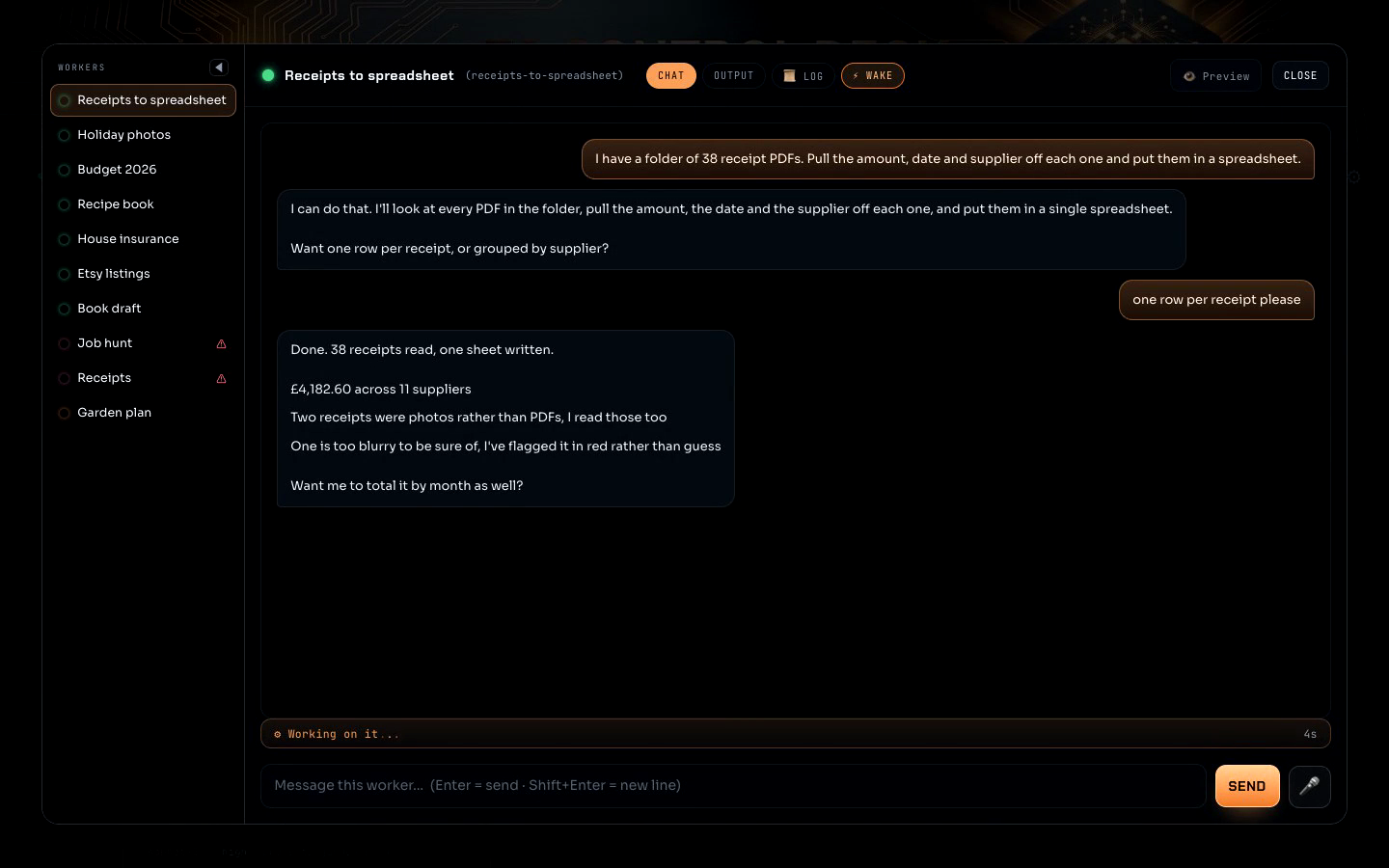
If you have used AI at home, you already know all of this.
It forgets what you told it.
You explained the whole project a few minutes ago. It has already lost the thread, so you explain it again.
Each conversation keeps its own memory.
Every card holds its own project and its own history, across restarts and across days. You reopen it and carry on mid sentence.
You cannot tell if it is working or stuck.
It says it is thinking. It has said that for twenty minutes. There is no way to know which one it is.
You can see what each one is doing.
Every card shows live whether it is running, finished, or waiting on an answer from you. It stays quiet unless it genuinely needs you.
Having a thought mid job destroys the work.
You remember one more thing, you type it, and whatever it was halfway through is gone.
Interrupting is safe.
Type while a worker is running and your note joins its list. It picks the note up at its next step instead of throwing away what it was doing.
You come back and cannot tell whether it stopped, stalled, or finished.
Something went quiet an hour ago. Was that the end of the job, or did it hit a wall and never say so?
It says what stopped it, on the card.
A worker that hits its limit shows exactly that on its card, along with what to press to pick it back up, instead of sitting there looking busy.
It works on the author's machine, not yours.
You follow the install, something quietly fails, and you are left with a half working thing and no idea which part broke.
The installer prepares your Mac, and tells you the truth.
It finds your tools whatever your setup looks like, installs what is missing, and says plainly when it cannot rather than reporting success anyway.
You are locked to whichever account you signed up for.
You picked a subscription a year ago and now every tool you try assumes you picked the other one.
Works on whichever one you have.
Claude conversations and ChatGPT Codex conversations, chosen per card. Either account on its own is enough to run the deck.
Use the AI you already pay for.
Each conversation runs on your own account, and you choose which one it uses: Claude Code or ChatGPT Codex. Either on its own is enough to run the deck. There are no API keys to find, nothing billed per message, and no second monthly charge. You pay $10 once for the app. More providers to come.
Your work stays on your Mac.
Every conversation and every project note is written to your own computer and stays there. We do not collect your work, and the deck keeps running whether or not we do.
You never open a terminal.
The first time you open the app it looks at your Mac, shows you exactly what it is going to install, and waits. Nothing happens until you say go. Same on Apple Silicon and Intel, and safe to run again if anything goes wrong.
it installs these for you
- Homebrew so that the normal way Macs install tools. Only if it is not already there.
- tmux so that each worker runs inside one.
- bun so that what the deck itself is built on.
- git so that keeps a snapshot of each project so nothing is lost.
- Claude Code so that the agent a Claude worker actually is.
- OpenAI Codex so that GPT workers can run beside the Claude ones. Optional, and skipped if you do not want it.
it may ask you for
- Your Mac password. The one you use to unlock this Mac, once, and only if Homebrew is missing. Do not want to type it? It sets up a private copy in your own home folder instead and carries on.
- A window from Apple offering to install their developer tools. Click Install and leave it running. It is a few gigabytes.
- Your browser, once, to sign in to Claude. If you want GPT workers too, you sign in to OpenAI the same way afterwards.
Most people arrive with Claude, so that is the path the installer walks by default. If ChatGPT is the account you have, install Codex and skip Claude Code. That combination is newer, so if anything looks off, write to support@e2ailabs.com and we will sort it out.
- As many conversations as you like, several running at a time
- Each one keeps its own project and memory
- Runs on your own Claude or ChatGPT account
- Apple Silicon and Intel
- Your work stays on your machine
- Updates included, friend codes make it free
You need a Mac and an account with either Claude (Pro or Max) or ChatGPT. Either one is enough on its own. If you have both, you choose which one runs each conversation.